In development iPhone + Apple Watch cycling computer
Your ride.
Your rhythm.
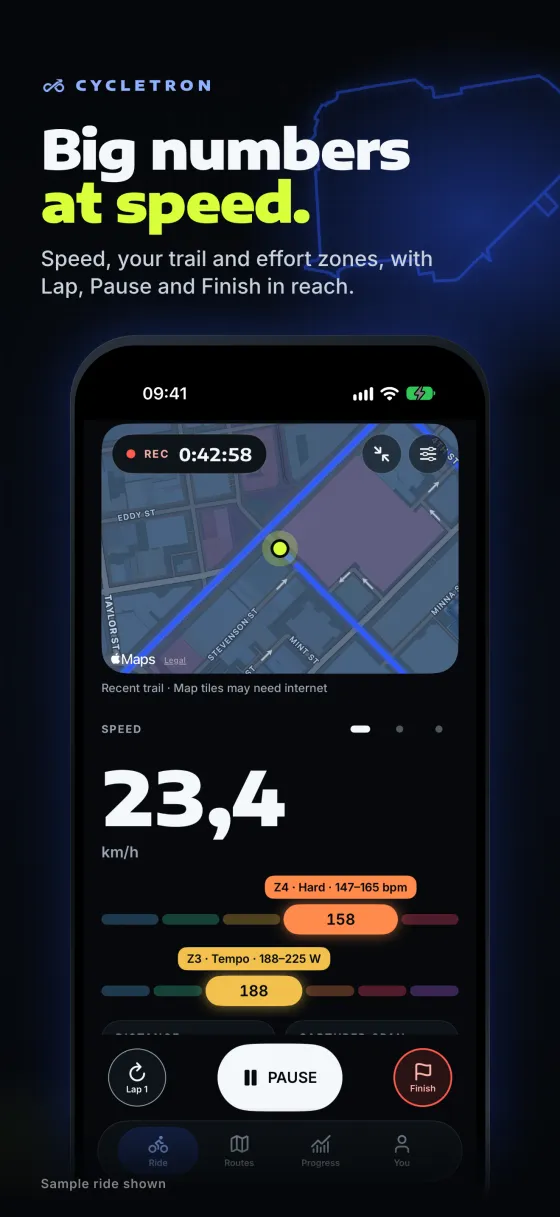
Record your rides on iPhone, with or without an Apple Watch. CycleTron shows speed, distance, time, heart rate and colour-coded zones in big numbers you can read at a glance, and keeps every ride on your device.
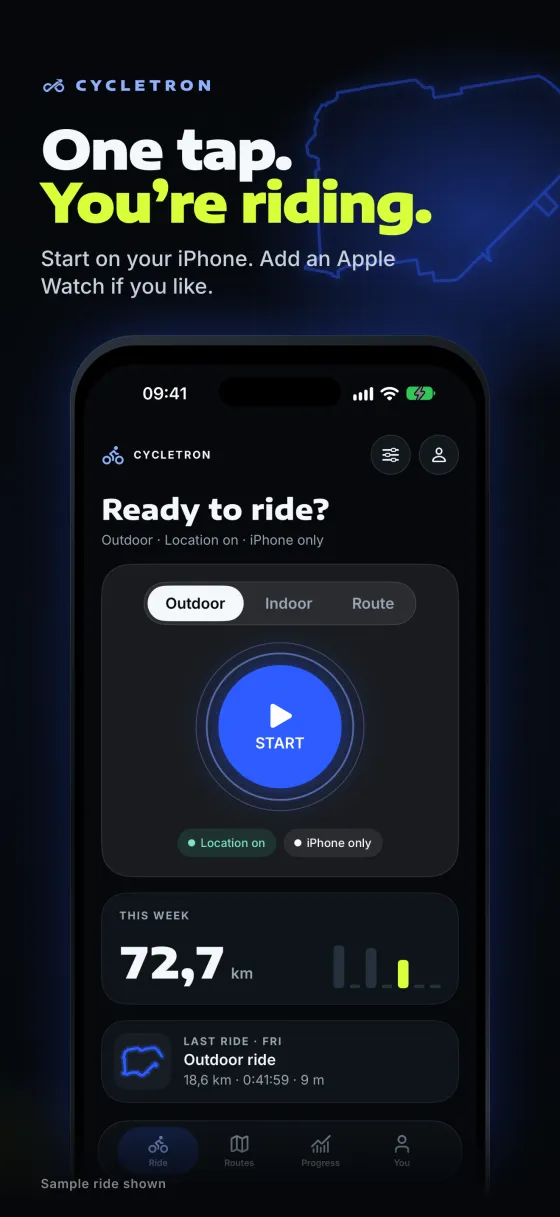
Tap START on the phone, or switch Outdoor, Indoor and Route.
Ready to ride?
Outdoor · Location asked at start · iPhone only
REC 0:00:00
SPEED—km/h
Heart rate · Waiting for a reading
- live fields to arrange
- 12
- ride modes
- 3
- heart-rate zones
- 4–5
- power zones
- 6
- accounts needed
- 0
Sample ride · San Francisco loop
Ride it, then review it.
This is the app’s own store sample: 42 minutes on a real 20.5 km loop from the Ferry Building to Golden Gate Park. Every number below comes from CycleTron’s ride maths, ported from the app’s code. Press START, take a lap, and finish to see the saved ride.
Ready to ride?
Outdoor · Sample ride · iPhone + Watch
42 minutes of riding, played back in about 50 seconds.
REC 0:00:00
—km/h
Heart rate · Waiting —
Power · 3s · Waiting —
Recent trail · the app draws it on Apple Maps
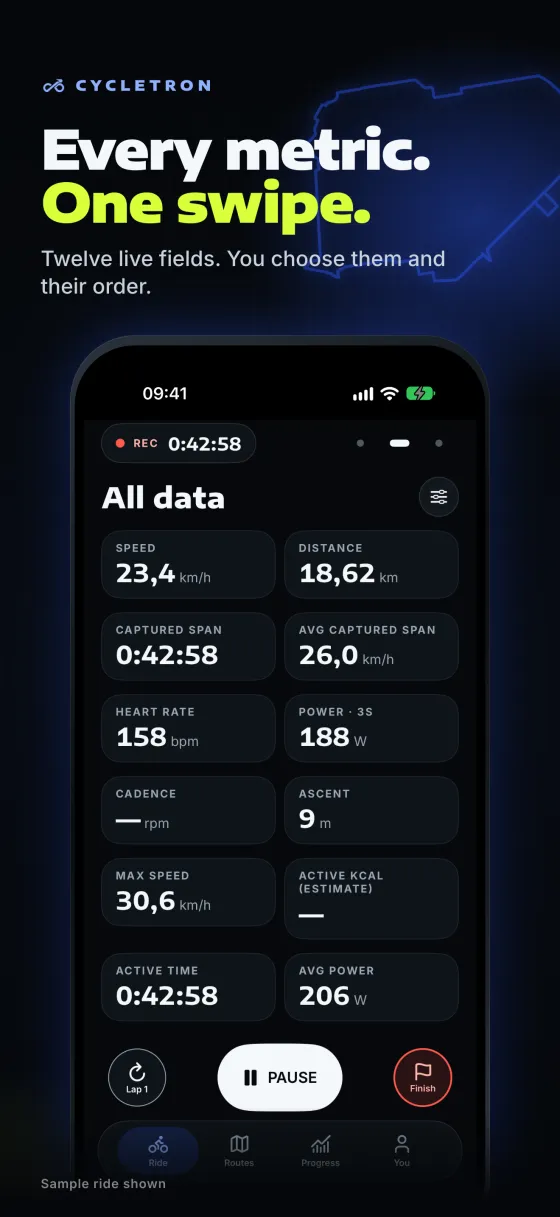
All data
Finish this ride?
Save this ride to your history. It is saved on this iPhone first; sharing is a separate choice.
RIDE SAVED
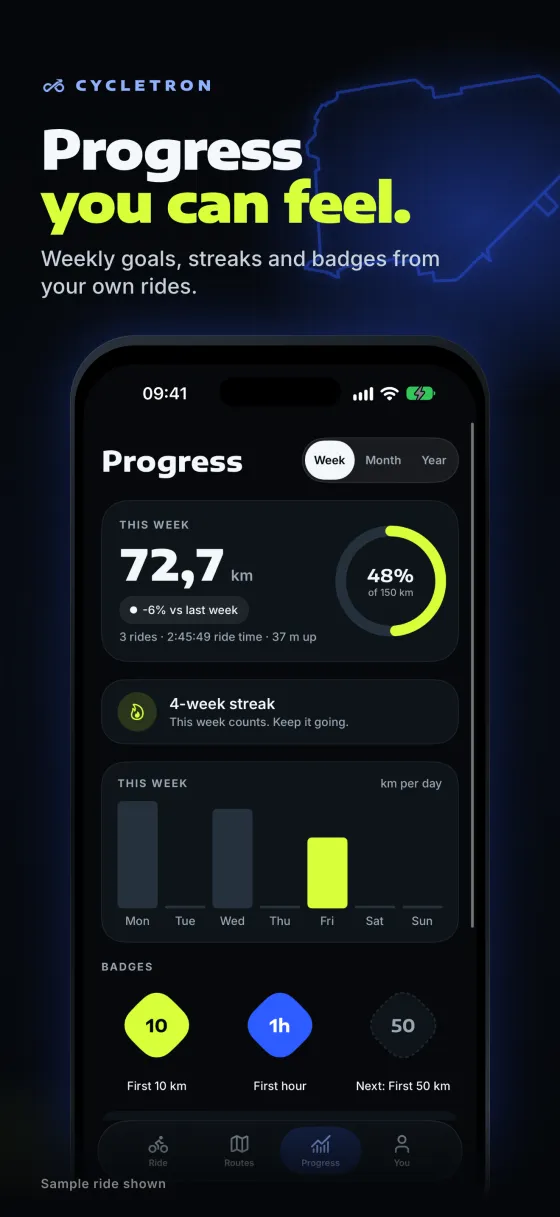
That’s a ride.
Laps
Device · Saved locally
● REC9:41
Waiting for iPhone
Start the ride on the phone.—
km/h—
bpm—
—
W—
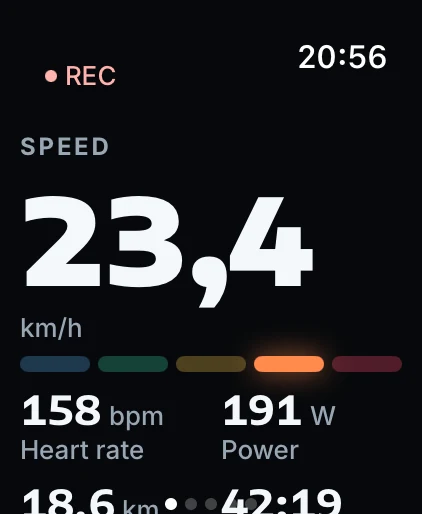
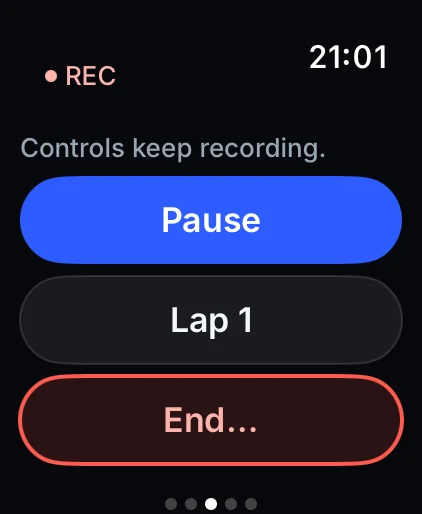
Apple Watch · CycleTron Premium. The iPhone records; the Watch shows the same ride and sends Pause, Lap and End. Tap the dots to change pages.
Your goal
- START the sample ride.
- Tap Lap on the phone or the Watch.
- Use the page dots to open All data.
- Finish, then Save ride, to review it.
Sample ride shown. Playback runs about 50× real time, and PAUSE here also pauses the clock. Heart rate and power come from the sample’s Watch and Bluetooth readings, which are CycleTron Premium features. No cadence sensor in the sample, so cadence shows a dash, as in the app.
Twelve live fields
Every metric. One swipe.
Choose the fields and their order for each mode. Values are the sample ride at 0:42:00. Tap a field to see how CycleTron counts it.
Missing sources never become zero. When GPS or a sensor drops, the field shows a dash, never a guess.
Colour-coded effort
Zones you can read from the saddle.
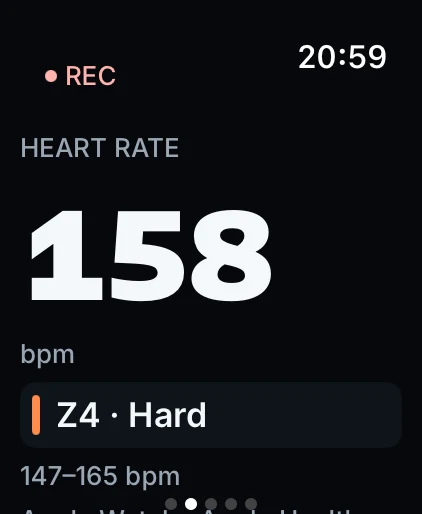
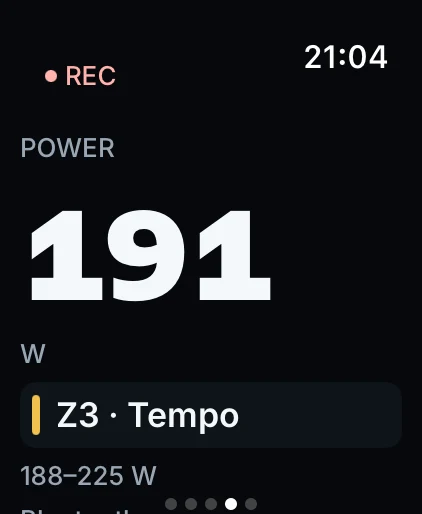
CycleTron estimates your maximum heart rate as 220 − age, as the Zones app does, and splits it into four zones, or five if you prefer. You can edit every boundary. Power gets six zones from your FTP.
Estimated maximum 185 bpm
Apple Watch · CycleTron Premium
Your ride on your wrist.
Start on the iPhone and the ride shows on your Watch in sync: speed, heart rate, power, distance and time, page by page. Pause, Lap and End from the wrist. Or record on the Watch itself, with its heart rate.
Local by design
Your rides stay on your iPhone.
CycleTron has no account and no server copy. Rides, routes and settings stay on your iPhone and its paired Apple Watch. Apple Health and saving ride maps are separate choices you can change in You.
- Connected servicesApple Health ›
- Export a ride or settingsImage, GPX, CSV with Premium ›
- Export all ridesOne ZIP file with summaries and routes
- Erase rides and routes on this iPhoneApple Health workouts stay in Health
- No account
- No ads, no tracking
- Health is optional
- Outdoor and indoor history
- Rename any ride
Pre-release App Store screenshots · sample ride shown
On the iPhone.
Ready to ride?
CycleTron is in development and not on the App Store yet.
- In development
- Free recording
- Optional CycleTron Premium
- No account
- No ads
Support · Privacy · Terms · Built in SwiftUI with HealthKit and watchOS by Alex Struta